Amazon flat files and SP-API: A practical guide
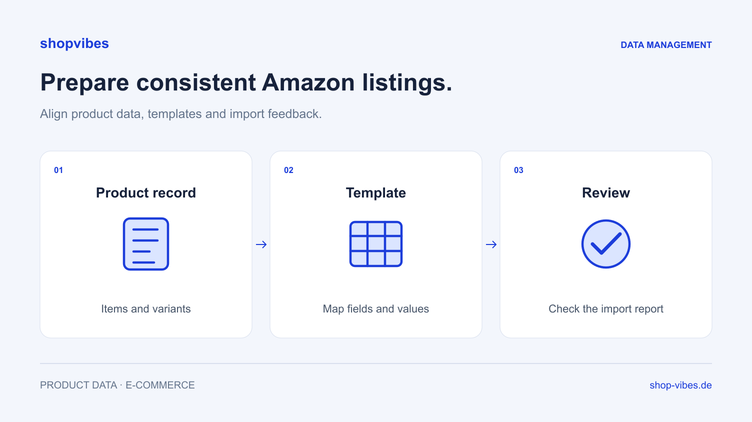
Amazon flat files let you maintain several items through a file. The important preparation starts before you fill it in: product type, identifiers, variants and required attributes must match the target marketplace. After uploading, review both the processing report and the actual listing state.
This guide takes you from a current template to a controlled test. It also explains how to record recurring mappings for a configured data workflow.
Distinguish manual uploads from API feeds
A file upload through Seller Central differs from programmatic submission through the Selling Partner API. Amazon discontinued legacy XML and flat-file listing feeds through the Feeds API on 31 July 2025. For API processing, Amazon documents routes including Listings Items and JSON listing feeds.
This does not establish that all manual upload templates have been discontinued. For a file upload, use the current process and template available in your account. Ask the integration provider which API route its connection uses.
Decide which process you are testing before editing the data. The format, required fields and feedback must belong to that route.
Which template do you need?
Choose the correct target marketplace and product type in the intended Seller Central upload process. Read the template guidance: which fields are required, which values are allowed, and which requirements depend on a particular product configuration?
Keep an unchanged reference and record its version or date. If your range spans several product types, check their requirements separately. A completed file for the first category is not a general template for every other item.
Checklist for your source data
| Data area | What to check before filling the file |
|---|---|
| Identity | Stable SKU and existing, suitable product identifiers |
| Product type | Requirements of the chosen Amazon marketplace |
| Variants | Permitted relationships and clear configuration attributes |
| Content | Title, features and description of the actual configuration offered |
| Dimensions | Meaning, units and distinction from packaging measurements |
| Media | Correct file per configuration and accessible URLs |
| Offer | Source and intended route for prices, stock and shipping information |
Keep identifiers as text when editing files so leading zeros survive. Check numbers and separators after saving and reopening the output.
A test with two table sizes
These are fictional internal records, not an Amazon field template and not intended for a real upload. Whether these items can be grouped as variants in the destination product type must be checked first.
| Check | DEMO-TABLE-120-OAK | DEMO-TABLE-160-OAK |
|---|---|---|
| Internal family | TABLE-LINN | TABLE-LINN |
| Width | 120 cm | 160 cm |
| Depth and height | 80 cm and 75 cm | 80 cm and 75 cm |
| Material | Melamine-faced chipboard | Melamine-faced chipboard |
| Contents | One table; chairs excluded | One table; chairs excluded |
| Expected media result | Image of the 120 cm configuration | Image of the 160 cm configuration |
Define the expected result before the test. Both configurations should receive their correct width and matching image. Shared description text must not obscure the differences.
How should you prepare variants?
Check the relationships and fields provided for your product type in the current template. Associate configurations consistently. A shared model identifier and the item number of a sellable configuration serve different purposes.
For an additional set item, make piece count and contents clear. Destination requirements determine whether a set is permitted within a particular variant structure. Our furniture variants guide explains the underlying model.
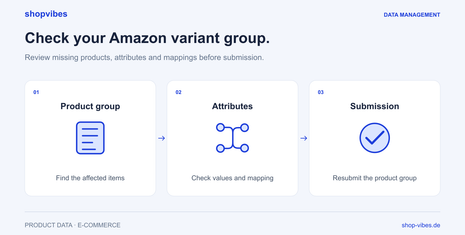
The shopvibes API submission process also has its documented group behaviour. Amazon variants not transmitted explains how to investigate an incomplete-group message. Do not assume that this product behaviour applies to every manual file workflow.
From test upload to checked result
- Define a small test selection. Use items covering common cases: a simple configuration and a complete, permitted variant group. Document the expected content.
- Fill the current file. Map sources to the specified destination fields. Use permitted values and retain the required upload structure.
- Open the file before uploading. Check identifiers, dimensions, values and image links in the saved output. This catches errors introduced during file creation.
- Upload through the intended process. Keep the file and time so feedback can be matched to the correct attempt.
- Review the processing report. Associate messages with products and the relevant attributes. Use the current response rather than one from an earlier upload.
- Correct the cause and repeat. Add missing source data or adjust the mapping. Generate the output again and repeat the same controlled test.
- Check listing state. Compare Seller Central and visible product information with the expected result. An accepted upload does not establish a buyable offer.
Turn feedback into a correction
| Observation in your test | Isolate the cause | Correction and check |
|---|---|---|
| Required information is missing | Compare the product record with the output field | Complete the source or correct the mapping; inspect the new file |
| A value is rejected | Check permitted values for that specific field | Use a factually appropriate mapping; review the new response |
| Both table sizes show 120 cm | Compare the shared range field and variant field | Map the variant width; open both outputs side by side |
| An image shows the wrong configuration | Check the product-media relationship and link | Output the correct file; check the accessible link and listing |
This is a fictional diagnostic example. It does not prescribe Amazon error codes or universal required fields.
When is reusable mapping useful?
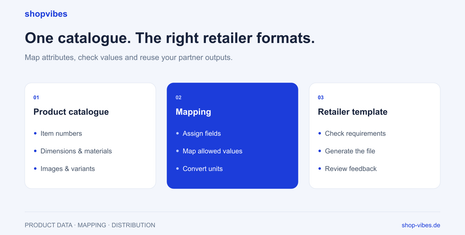
If new products repeatedly need the same assignments, record the knowledge as a mapping: source, destination attribute, permitted value and, where relevant, a formatting or conversion rule. Make corrections in the source or mapping, then produce a new output.
Our retailer template guide includes an example mapping table and a CSV for team planning. These examples are planning aids; the binding template comes from the partner process.
How does shopvibes support the Amazon workflow?
shopvibes helps you prepare product information centrally and map it to the requirements of your configured channels. The Amazon Seller integration explains the API workflow and submission checks. Data scope and responsibilities are agreed separately for your setup.
A consistent data source supports preparation of different outputs. Our PIM guide and furniture solution connect data maintenance with variants, media and partner requirements.
Sources and review date
Updated on 3 November 2026. The original guide’s URL is retained.
- Amazon: Manage product listings with SP-API
- Amazon: Supported listing feed types
- shopvibes: Incomplete Amazon variant groups — German help article
About the author

Author
Tim Hoffmann
Chief Product Officer, shopvibes
Tim Hoffmann is Chief Product Officer at shopvibes. His work focuses on product data management, marketplace integrations and e-commerce workflow automation.