Furniture product variants: model sizes, colours and sets clearly
Two dining tables differ in width. A chair comes in two colours and is also offered as a set of two. If those differences only appear in descriptive copy, every retailer file becomes another exercise in interpretation.
A traceable variant model groups shared attributes while describing every sellable version clearly. This guide presents an internal furniture data model. You then check which variants a specific retailer allows and how it groups them for the relevant category and business model.
Separate product family, variant, set item and offer
Four terms help with preparation:
| Level | Role in the internal model | Furniture example |
|---|---|---|
| Product family | Describe related versions of a series | LINN dining table series |
| Variant | Define a specific version and its attributes | LINN, 160 cm wide, natural oak-effect finish |
| Set item | State clearly what is sold together | Two blue chairs as a separate item |
| Offer | Assign one seller’s terms in the relevant channel | Price and available stock for the item |
These levels are an organisational aid. They neither prescribe a retailer’s data structure nor automatically determine grouping on its product pages.
Example: one table, two widths
The following items and values are fictional. They do not form an official retailer template.
| Attribute | DEMO-TABLE-120-OAK | DEMO-TABLE-160-OAK |
|---|---|---|
| Product family | TABLE-LINN | TABLE-LINN |
| Product type | Dining table | Dining table |
| Width | 120 cm | 160 cm |
| Depth | 80 cm | 80 cm |
| Height | 75 cm | 75 cm |
| Material | Melamine-faced chipboard | Melamine-faced chipboard |
| Colour or finish | Natural oak effect | Natural oak effect |
| Contents supplied | One table; chairs not included | One table; chairs not included |
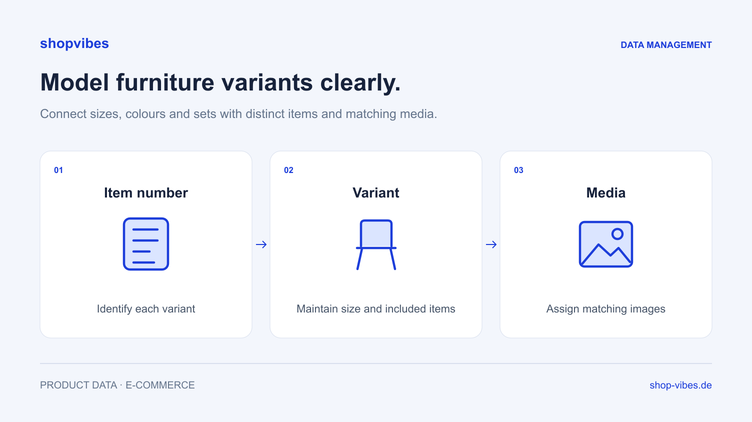
The model name and material can be maintained together. Width must belong to the individual variant. Also assign images and documents so it is clear which item they apply to. The guide to variant images and image order shows how to check that assignment and partner-specific output.
Shared copy can explain the series. For an individual output, the reader still needs an unambiguous answer: how wide is the exact table I am looking at?
Maintain shared information centrally and differences explicitly
Agree which information belongs at family level and which is needed for each variant. Start with the product facts:
- Shared context: series, product type and attributes that are genuinely identical.
- Differences: size, colour, surface or other variant-specific properties.
- Assignment: item number, approved identifiers, media and documents.
- Contents supplied: included pieces and components, especially for sets.
Configure maintenance and output to fit your data model. When applying defaults, check whether they hold true for every item in the family. A general default must not hide a variant that actually differs.
Why a set of two needs its own test case
One blue chair and two blue chairs sold together have different contents supplied. Record that difference explicitly. An image showing two chairs is not a sufficient data value.
| Item | Colour | Quantity sold | Contents supplied |
|---|---|---|---|
| DEMO-CHAIR-BL | Midnight blue | 1 | One chair |
| DEMO-CHAIR-GR | Green | 1 | One chair |
| DEMO-CHAIR-BL-2SET | Midnight blue | 2 | Two chairs as a set |
This example treats the set as a separate item. Whether a retailer permits grouping it with individual items depends on its rules. Check that question separately from your internal assignment to a series.
Also ensure that prices, images and packaging details describe the actual contents being sold. The stock of a single chair and availability of the set need deliberately agreed logic; stating a quantity alone does not configure it automatically.
From a shared product record to retailer output
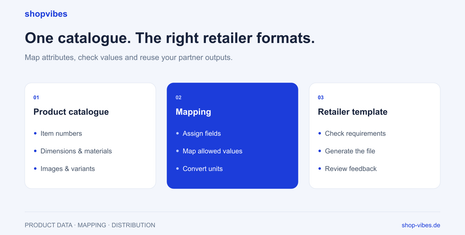
Partner preparation starts with the current category and required attributes. Then map your source attributes to the target fields. An approved value mapping can translate internal colour names into allowed partner values while retaining the original term in the product record.
A fictional example: the internal colour is “Midnight blue”. An agreed partner output uses “Blue”; another output may retain the more precise name. The retailer’s current requirements determine whether and how that is needed.
The guide to automatically filling retailer templates explains this mapping principle. API connections also require accurate attribute assignment; the transfer method does not change the meaning of your product data.
Test a representative group
Before rolling out the model, select several items against which to check the rules:
- A simple variant as a starting point.
- A second size sharing the same model context.
- Another colour with its corresponding image.
- A set item, if your range contains one.
- An item shipped in several packages, where relevant.
Compare the generated outputs side by side. Look specifically for values accidentally copied across all items. Then check processing and the actual presentation at the partner.
| Observation | Possible checking question | Check after correction |
|---|---|---|
| Both tables are 120 cm wide | Is the series field used instead of the variant width? | Open both item outputs side by side |
| Green chair has a blue main image | Does the medium belong to the actual variant? | Compare media assignment and retailer presentation |
| Set appears to be a single item | Is the quantity clear in the contents supplied and output? | Check copy, title and offer data together |
| Dimensions appear contradictory | Were product and package measurements mixed up? | Compare measurement types by meaning |
These are checking questions for fictional examples, not original marketplace messages.
How shopvibes supports the workflow
In the PIM, maintain product attributes and media within a shared structure. Configured partner mapping assigns the values to each output. The product range and target requirements determine which attributes are used for variants, titles and images.
The furniture solution connects product data with retail partners. Specific channel guides cover OTTO Market, Amazon Seller and Kaufland. The product dimensions and packages guide explains the different measurement types.
Checklist for your variant model
- Does every sellable variant have a clear item number?
- Are shared and variant-specific attributes separated?
- Do identifiers, dimensions and media match the variant?
- Are colour, decorative finish and actual material unambiguous?
- Are contents supplied explicitly stated for individual items and sets?
- Are shipping packages recorded independently of product variants?
- Have permitted variant attributes been checked for the actual retailer category?
- Were several variants, including a set where relevant, tested together?
Bring a series with several variants to a demo. We can discuss how product maintenance and retailer outputs fit together.
Sources and review date
Reviewed on 3 November 2026. The model and tables are our own fictional examples. Retailer requirements are checked for the relevant channel.
- shopvibes: attribute and value mapping, in German
- shopvibes: retailer templates and mapping in practice
About the author

Author
Tim Hoffmann
Chief Product Officer, shopvibes
Tim Hoffmann is Chief Product Officer at shopvibes. His work focuses on product data management, marketplace integrations and e-commerce workflow automation.