Which XXXLutz process does this cover?
This page covers the connection to XXXLutz Marketplace through the Mirakl API. It connects centrally maintained product data with category mapping for the marketplace. First define which partner account and range you intend to serve through this route.
The traditional XXXLutz supplier workflow is covered separately. A marketplace connection does not automatically grant access to additional group brands, countries or supplier processes.
Prepare access and the category template
The shopvibes help centre identifies the XXXLutz API key and category-specific template as requirements for setup. The current template determines which information and allowed values must be mapped for your products.
Maintain product information centrally and configure the partner output accordingly. Record the template version, selected category and person responsible for future changes. Check another Mirakl retailer’s requirements separately, even if it uses the same platform.
| Preparation | Question for your team |
|---|---|
| Partner account | Do the credentials and API key belong to the intended marketplace account? |
| Category | Does the template match the specific product group? |
| Data source | Which details belong to the series, and which to the individual configuration? |
| Titles | Can variants and set contents be identified clearly? |
| Output | Which product and media fields are included in the agreed mapping? |
Build clear titles for variants and sets
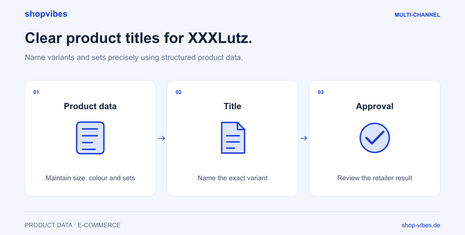
The shopvibes instructions state that the retailer prefixes the brand. It should therefore not be included again in the submitted title. Use a clear product type and suitable distinguishing features. For sets, the actual set contents must be identifiable. Check the structure against the current requirements for your category.
This fictional example uses three items from an internal data model. It is not a binding retailer template; whether a set may belong to a variant group must be checked separately. The example retains German title wording to illustrate a German-language output, rather than prescribing titles for another country or account.
| Item number | Configuration sold | Example submitted title |
|---|---|---|
| DEMO-CHAIR-BL | One blue chair | STUHL MIRA blau |
| DEMO-CHAIR-GR | One green chair | STUHL MIRA grün |
| DEMO-CHAIR-BL-2SET | Two blue chairs | STUHL MIRA blau 2er-Set |
Our XXXLutz product title guide shows how to derive the information from attributes and check the output.
Five steps to a checked listing
- Define the account and category. Select the intended marketplace process and a manageable product group to start with.
- Supply the current template. Agree category requirements with the shopvibes team and configure partner access.
- Check the mapping. Assign attributes and values. Inspect titles, product dimensions, included items and media for each configuration.
- Submit different test items. For example, include both colour variants of a chair and a separate set item if it belongs to the range.
- Check feedback and approval. Address issues in product data or mapping and inspect the state in the retailer process.
What does a successful submission mean?
The shopvibes instructions describe automated data validation followed by manual review by the XXXLutz team. An accepted submission therefore does not mean immediate publication. Plan a separate check after retailer review; the documented process does not establish a fixed turnaround time.
| Observation | What to check |
|---|---|
| Variants share the same title | Are distinguishing values taken from each specific configuration? |
| The brand appears twice | Is it already included in the submitted text? |
| A set looks like a single item | Are quantity and included items clear in data, title and images? |
| A value is rejected | Does the output match the current category and its allowed values? |
| Submission is complete but the item is unpublished | Is data validation or retailer review still outstanding? |
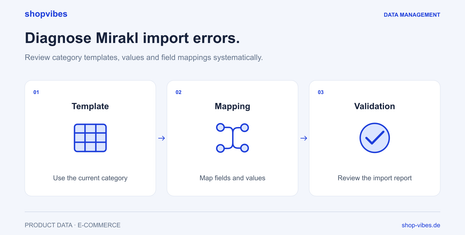
Use the Mirakl guide to templates, values and mapping for systematic diagnosis. Its examples explain the process; they are not original retailer error messages.
Checklist for your next range update
- Are the partner account, category and template version agreed?
- Can buyers identify the configuration from the title?
- Do set details match the items actually sold?
- Does the media show the correct item?
- Have outstanding issues been corrected and the retailer status checked?
- Is the scope of later content, price and stock updates explicitly agreed?
The furniture solution explains the shared data source for several channels. Our template guide shows how reusable mappings work.
Sources and review date
Reviewed on 3 November 2026. The German help centre instructions cover the named XXXLutz Marketplace process. Check the current category, account and language requirements; this guide does not extend them to other markets.
Looking for the XXXLutz supplier workflow?
The XXXLutz overview and workflow selection helps you find the right guide. For automatic completion of the supplier portal, use the XXXLutz frontend integration.