Mirakl product import errors: check templates, values and mapping
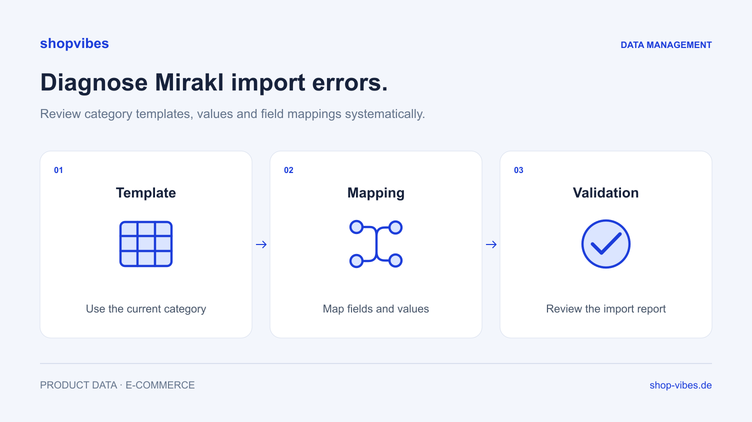
Your product data is maintained in the PIM, yet the retailer is missing information or rejects an existing value. To correct it, first establish whether the cause lies in the product record, category template or mapping between them.
This guide provides a systematic check for Mirakl-based partners such as home24 Marketplace and XXXLutz Marketplace. It uses fictional furniture data, not original error codes. Specific attributes, allowed values and review processes depend on the retailer and category.
Record the partner, category and template version first
The shopvibes instructions describe the category template and relevant partner account’s API key as the basis for automated product data distribution. Generate the template in the Mirakl portal for the required categories and supply it for setup.
Keep at least the following details together for diagnosis:
| Foundation | Why it matters |
|---|---|
| Retailer and partner account | A mapping for another partner can contain different requirements |
| Product category | Determines which target fields and values to check for the item |
| Template and creation date | An old template may differ from the current agreed version |
| Item number and configuration | Feedback must be assigned to the product actually submitted |
| Affected run | You need to identify which output was generated before or after a correction |
Two retailers using Mirakl do not necessarily share a template, values or approval workflow. Check the home24 connection and XXXLutz Marketplace connection in their own context.
Four questions narrow down the cause
- Is the information present in the central record? Inspect the exact item and configuration. A value on a similar product does not automatically help this record.
- Does the mapping use the right source? An existing value can be absent from output if another or empty property is assigned.
- Does output meet the target requirement? Allowed values, units, format or category may require a different representation.
- What did the retailer actually process? Distinguish generated or submitted output from feedback and the published presentation.
This order helps prevent missing product information being replaced with fixed text for the entire range. A fixed value is appropriate only when it is factually correct for every affected item.
Distinguish a missing value from a disallowed value
A missing value and an existing but unsuitable value need different corrections. These observations are fictional diagnostic examples, not verbatim retailer messages.
| Observation | Check | Possible correction | Recheck |
|---|---|---|---|
| Colour is missing | Is colour maintained and mapped for this exact configuration? | Complete the variant value or assign the right source | Inspect output for the affected SKU |
| “Nachtblau” is rejected as a selection | Which values does the current target category allow? | Configure a factually appropriate value mapping | Compare the output value with the allowed list |
| Width is wrong by a factor of ten | Do source, unit and configured conversion agree? | Correct the source or suitable Multiplier mapping | Calculate the expected value and inspect output |
| A bed receives another size’s dimensions | Are dimensions stored on the model or variant? | Use the configuration-specific source | Compare both sizes side by side |
| An image shows another colour | Does the media belong to the submitted SKU? | Correct the product and variant reference | Check image, title and record together |
| Submission is complete but the item is invisible | What processing or approval state does the partner show? | Address data issues or clarify the partner process | Check actual presentation and offer state |
A superficially similar term is not always a suitable mapping. Check material descriptions factually: a wood-effect finish does not turn chipboard into solid wood. “Nachtblau” is retained here as an illustrative German source value; the target language and allowed values come from the actual template.
A furniture test exposes assignment errors
Consider two fictional bed frames. The values describe an internal data model, not an official retailer schema.
| Item number | Sleeping surface (W × L) | Outer dimensions (W × L) | Included items |
|---|---|---|---|
| DEMO-BED-160-GREY | 160 × 200 cm | 170 × 210 cm | Bed frame; mattress and slatted base excluded |
| DEMO-BED-180-GREY | 180 × 200 cm | 190 × 210 cm | Bed frame; mattress and slatted base excluded |
If the smaller configuration receives outer dimensions of 190 × 210 cm, inspect the source being used. A shared series value may have been assigned instead of the variant value. Correct the mapping and generate output for both configurations again.
Then check what the target field means. A correct number is still wrong if it describes the sleeping surface while the target requires the outer dimensions. Packaging information is another separate area. The furniture dimensions and packages guide explains these distinctions.
Edit the relevant mapping in shopvibes
The documented Mapping Editor supports attribute assignments, fixed values and value mappings. In the configured mapping, these determine which information supplies a target field and how internal values correspond to allowed target values.
A small assignment list helps with diagnosis:
| Example target field | Source in the internal model | Rule |
|---|---|---|
| Item number | SKU of the selected configuration | Copy directly |
| Sleeping width | Variant’s sleeping width | Compare the unit with the target requirement |
| Colour | Internal colour value | Use the approved value mapping |
| Description | Product information and relevant variant details | Describe the item actually sold accurately |
The Complex Editor combines attribute values with fixed text. Describe and test mathematical conversion through a suitably configured Multiplier mapping. Do not assume arbitrary calculations are supported by a text combination. Available editing functions depend on the template and account permissions.
Check feedback together with the output
Assign each issue to its item number and data area. Record the initial value, source used and correction. Your team can then distinguish a shared cause affecting several items from different missing product details.
For many connections, shopvibes lets you download the last submitted file for inspection. Availability depends on the partner. A submission file’s contents do not confirm that the retailer has already published all the information.
For XXXLutz Marketplace, the help centre describes manual retailer review after automated data validation. Do not apply this workflow or a possible turnaround time to every other Mirakl partner. Check the actual status in the intended partner process.
Six steps to a repeatable test
- Choose a small selection. Use two variants and, where relevant, a separate set item to cover different data cases.
- Compare the current foundation. Check the category template and mapping against the planned output.
- Correct causes individually. Add missing product values in the source record; change incorrect sources and value assignments in the mapping.
- Inspect output. Compare numbers, units, allowed values and media for each item. Check conversions against a calculated expected result.
- Submit again. Use the configured connection and record the new run.
- Check the result at the partner. Inspect feedback, content and offer state before rolling out the rest of the range.
Checklist for your team
- Do retailer account, category and template version match?
- Does each issue concern the configuration actually submitted?
- Is the required information present at the right source?
- Do values and units meet the current target requirements?
- Are dimensions, included items and images consistent?
- Is the correction visible in the new output?
- Have partner processing and approval states been checked?
A shared product record lets you reuse a factual correction for further suitable outputs. Each partner mapping remains separate. Our retailer template guide explains the foundation; the home24 furniture data guide develops the bed example.
Bring an affected item and your current category template to a demo. We can discuss how to make the source, mapping and result checks traceable for your partner.
Sources and review date
Reviewed on 3 November 2026. The German help centre instructions document the named partner workflows, not identical requirements across every Mirakl marketplace.
- shopvibes: category templates for Mirakl partners
- shopvibes: API keys for Mirakl partners
- shopvibes: mapping and value assignments
- shopvibes: inspect submitted data
- shopvibes: XXXLutz connection and approval
About the author

Author
Tim Hoffmann
Chief Product Officer, shopvibes
Tim Hoffmann is Chief Product Officer at shopvibes. His work focuses on product data management, marketplace integrations and e-commerce workflow automation.