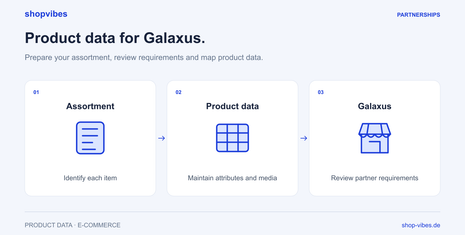
Start with the country and partner model
Joining as a merchant and supplying Galaxus are different processes. Under the merchant programme, the sales contract is between you as the merchant and the end customer; Galaxus acts as an intermediary. The public entry points for Switzerland and Germany explain this model. A supplier application follows a separate procurement process.
Record the country organisation, programme and range agreed for your project. Approval for one market or model does not replace checks for another country. For Switzerland, also clarify the agreed cross-border shipping and returns process; a data connection does not automatically perform those tasks.
Understand files, FTP and webservices correctly
| Context | Publicly documented route | What it establishes |
|---|---|---|
| Merchant programmes in Switzerland and Germany | Product data via CSV/FTP; further automation adds order processes | Different levels of automation are available |
| Supplier product data | FTP, indirect handover through middleware or an alternative webservice | The technical route must fit the project |
| Your shopvibes setup | Agree the account, template, fields and handover | Retailer documentation alone does not confirm a shopvibes implementation |
The supplier documentation distinguishes its webservice from an API and currently states that API connections are not supported in this product-data process. This says nothing about every other Galaxus interface. A general “Galaxus API” label is too imprecise to describe this workflow. Galaxus: Product Data.
Separate product content from ongoing offer data
An item can be described accurately while its offer is not yet available to purchase. For preparation, distinguish at least three groups:
| Group | Your preparation |
|---|---|
| Identity and product attributes | Item number, correct GTIN assignment, material, dimensions, variant and contents supplied |
| Media and documents | Correct variant, image role, order and accessible files |
| Ongoing information | Prices, stock and delivery details from the responsible source at the agreed update interval |
The programme and its current requirements determine the actual required fields. Orders and delivery feedback form another process. Before setup, we confirm which data types shopvibes outputs or transfers for your account.
Furniture example: assign dimensions correctly
These values form a fictional internal data model, not a Galaxus template.
| SKU | Sleeping area (W × L) | External dimensions (W × L) | Contents supplied |
|---|---|---|---|
| DEMO-BED-160-GREY | 160 × 200 cm | 170 × 210 cm | Bed frame without mattress or slatted base |
| DEMO-BED-180-GREY | 180 × 200 cm | 190 × 210 cm | Bed frame without mattress or slatted base |
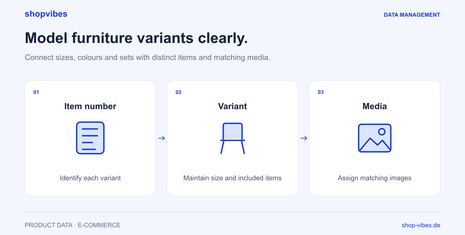
The 160 cm variant must not receive the larger variant’s external dimensions, or use the sleeping area as its external dimensions. Product identity must remain consistent across related outputs. Check material and contents against the actual variant too. The variant guide explains the distinction between individual items, variants and sets.
Prepare the output with shopvibes
- Define the programme and data source. Confirm merchant or supplier, target market and leading source for each data type.
- Prepare product data. Maintain variant values and media so they match the item being sold.
- Agree the mapping. Map internal attributes to the configured partner format; check units and allowed values.
- Review a test output. Compare two sizes and an item with several packages against the actual generated file or agreed handover result.
- Check the Galaxus result. Resolve import feedback and inspect presentation and offer status separately in the partner process.
The shopvibes help centre documents attribute and value mapping and exports for configured template partners. A template export creates a downloadable file. That alone does not confirm automatic delivery to a Galaxus server.
Review costs and requirements
Participation criteria and commercial terms depend on the relevant Galaxus programme and your agreement. Do not reuse old average commission rates or another country’s conditions without checking. Include your own data maintenance, integration and logistics work in your planning.
The Galaxus practical guide provides a checking process for typical data problems. Our PIM guide explains the shared data foundation. For a demo, start with sample data and your partner project’s current requirements.
Sources reviewed on 3 November 2026.