Selling on Galaxus: check product data, partner models and import results
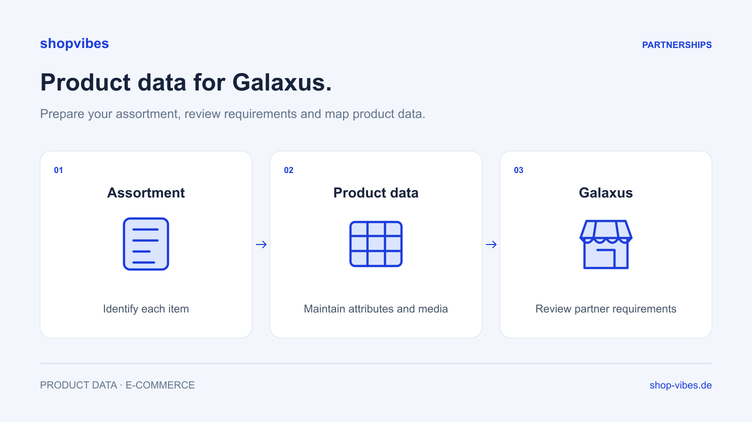
Your item data is ready, but the Galaxus project still leaves questions about which files are needed and why a product is not displayed. Start with the agreed model: are you joining the merchant programme or supplying Galaxus? Then establish the target market, data scope and actual configured transfer method.
This guide presents our own checking method for furniture ranges. It does not replace a project-specific template. Discuss the overall scope through the Galaxus integration page.
Record the model and country as the basis of the project
Under the merchant programme, you sell under your own name to end customers, with Galaxus acting as intermediary. Suppliers follow a separate application and procurement process. Use the requirements of the relationship actually agreed. The official entry points for the merchant programmes in Switzerland and Germany, and the supplier application, describe different contexts.
Before working on the data, record:
- Country and responsible Galaxus organisation.
- Merchant or supplier model and approved range.
- Intended language and current data requirements.
- Responsible systems for product content, prices, stock and orders.
- Agreed data route and contact for import feedback.
A Swiss project raises different organisational questions from an exclusively German one. Clarify the intended shipping, customs and returns process for cross-border deliveries. A product-data file does not provide customs clearance or guarantee delivery times.

Product data is more than a description
During preparation, distinguish product identity, factual content and ongoing offer values. This makes errors easier to assign, even if the agreed target format later groups those values differently.
| Data group | Example | Content check |
|---|---|---|
| Identity | Internal SKU and corresponding GTIN | Same item across all outputs |
| Specifications | External dimensions, material, colour | Values belong to the actual variant |
| Media | Main image, detail view, dimension drawing | Image shows the product being offered |
| Contents supplied | One chair or a two-chair set | Text, image and quantity agree |
| Offer | Price, stock, delivery information | Responsible source and update process are defined |
Determine mandatory information from the current requirements of your project. Do not copy a universal required-field list from an old article or another programme.
Example: the record contains the wrong table width
These fictional values illustrate an internal test, not an official Galaxus file.
| SKU | Expected width | Observation in the test output |
|---|---|---|
| DEMO-TABLE-120-OAK | 120 cm | 120 cm |
| DEMO-TABLE-160-OAK | 160 cm | 120 cm |
First check whether both variants are correct in the product records. If they contain 120 cm and 160 cm respectively, investigate the mapping next: does the output use a shared series value or the individual variant’s value?
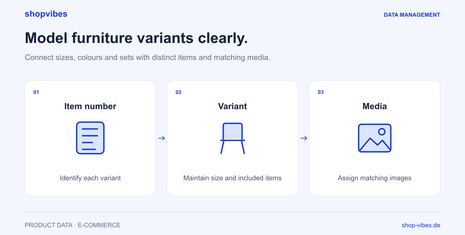
Correct the source or mapping and generate the test output again. Compare both SKUs side by side, including their titles and images. Overwriting a number in one place does not help if the next export uses the same incorrect series value again. Read more in the furniture variants guide.
Do not equate file transfer with an API
The public merchant programmes describe partial automation using CSV files via FTP. Further automation adds order processes, where feedback can be supplied as XML. This does not establish that every middleware solution performs every task. German merchant programme: technical integration.
For supplier product data, Galaxus lists FTP, indirect handover through middleware and an alternative webservice. Its documentation, updated on 13 August 2026, explicitly states that API connections are not currently supported in this context. The word “integration” alone therefore does not explain the actual route. Galaxus: Product Data.
Record which format is supplied where and who processes it. Only use the access and process agreed for your project. Credentials do not belong in product descriptions or openly shared error spreadsheets.
How shopvibes supports data preparation
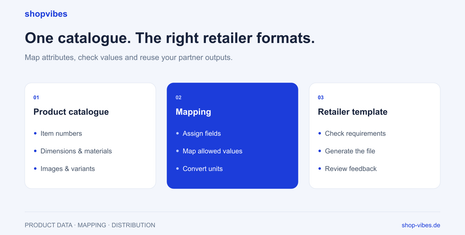
Maintain product information and media centrally, then map internal attributes to the fields in the configured partner format. The documented Mapping Editor supports attribute links, fixed values and value mappings. For example, you can map an internal colour to a permitted target value while preserving its meaning. Mapping Editor, in German.
For configured template partners, generate an export and download the file. Subsequent upload is a separate step. Your Galaxus project separately establishes whether a file is produced or an agreed transfer route is configured, and which data types it covers. A general export capability does not establish automatic stock or order processing. Template export, in German.
Check feedback and actual presentation
Distinguish three states: output created, data delivered and result checked at Galaxus. The supplier product-data process documents import errors in the Partner Portal. Publication there depends on factors including content requirements and offer status. Galaxus product-data process.
Our checklist for each test run:
- Record the affected SKU, output version and time.
- Compare source data with the generated output.
- Assign feedback to the correct item and run.
- Correct source or mapping errors and generate new output.
- Check presentation, variant, media and purchasable offer separately.

Check current terms directly in the relevant programme and your contract. A successful data transfer cannot establish a revenue or profitability promise.
Our PIM guide explains the shared product foundation. The furniture solution connects it with variants, dimensions and media. Bring sample data and current Galaxus requirements to a demo.
Sources reviewed on 3 November 2026. All DEMO values are fictional internal examples.
About the author

Author
Philipp Schlieker
CTO & Co-Founder, shopvibes
Philipp Schlieker is CTO and co-founder of shopvibes. His work covers product data management, system integrations and e-commerce workflow automation.