SEO for furniture manufacturers: product data that answers buying questions
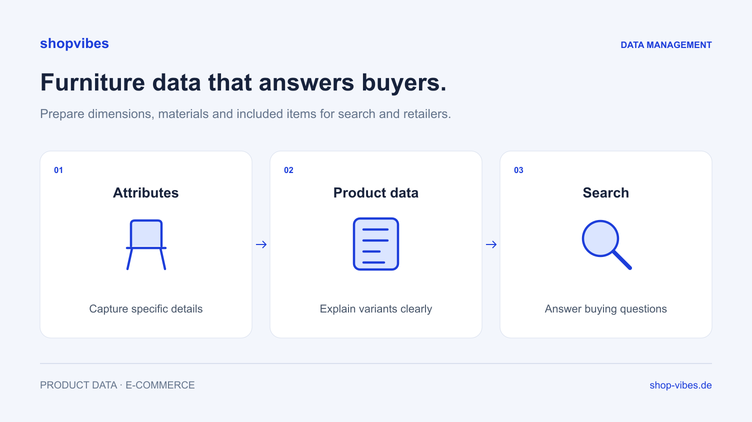
Will the bed fit in a room that is 175 cm wide? Is the table solid wood or a wood-effect finish? Does the chair offer include two pieces? For furniture manufacturers, useful product content starts with questions like these.
Structured product data gives your team a shared foundation for answers on your own website and in retailer outputs. Whether it produces relevant search results and enquiries also depends on the website, range, market and platforms involved. A PIM alone promises neither rankings nor additional search features.
What information may be missing before you write?
For a real series, collect the questions that sales, customer service and retail partners need to answer. Assign each question to a product property that can be checked.
| Buying question | Data needed | Common ambiguity |
|---|---|---|
| Will the furniture fit the intended space? | Outer dimensions with units and a clear reference | Sleeping surface used instead of outer width |
| What is the surface like? | Actual material, finish and decor | “Oak” does not distinguish solid wood from an oak-effect finish |
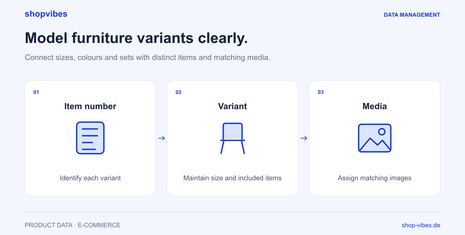
| Which configuration am I viewing? | Item number, variant, dimensions and matching images | One series description covers several configurations without assignment |
| What will be delivered? | Quantity and included components | A lifestyle image shows accessories that are not included |
| How is it assembled and maintained? | Appropriate instructions and care information | A document belongs to another configuration |
Check these details with the responsible product teams. A well-written description cannot reliably replace an unknown material specification.
Before and after: make a vague description into a clear product page
The example uses fictional items from our internal example catalogue. It is neither a real customer page nor an official retailer template.
Before: “Modern grey NOVA bed, 160 × 200 cm. High quality, comfortable and versatile.”
It is unclear whether the figures refer to the sleeping surface or outer dimensions. Included items are also missing. The description would be incorrect for the 180 cm configuration if copied unchanged.
After, for DEMO-BED-160-GREY: “Grey NOVA bed frame for a 160 × 200 cm sleeping surface. Outer width 170 cm, outer length 210 cm. The bed frame is supplied; mattress and slatted base are not included.”
| Property | 160 cm configuration | 180 cm configuration |
|---|---|---|
| Item number | DEMO-BED-160-GREY | DEMO-BED-180-GREY |
| Sleeping surface | 160 × 200 cm | 180 × 200 cm |
| Outer width × outer length | 170 × 210 cm | 190 × 210 cm |
| Included items | Frame without mattress or slatted base | Frame without mattress or slatted base |
The revised wording answers specific questions using the available data. It is not evidence of a measured SEO improvement. The product dimensions, packaging and packages guide explains the factual distinction.
Derive variant content from actual differences
A series does not need a new advertising story for every colour. It needs clear information about what is shared and what differs. Keep series context separate from the properties of the configuration being sold.
A shared paragraph can describe the series design. Width, colour, image and included items must match the selected product. For a set of two, state the quantity explicitly; it cannot be inferred solely from an image showing two chairs.
Offering variants on one page or under several URLs is a deliberate shop and website decision. Google documents different approaches. Do not automatically generate several nearly identical pages simply because the PIM contains several item numbers. Agree selection state, URLs and canonicals with the website team. The furniture variant model provides the product-data foundation.
Keep visible content and structured markup aligned
Distinguish structured properties in your data source from structured data in a website’s source code. A well-maintained PIM does not automatically create the correct technical implementation in every shop.
Google describes Product for product information and ProductGroup with associated variants for suitable product groups. Required properties and eligible search features depend on the actual page type. If a manufacturer’s page has no purchase offer, the website team must not invent prices, stock levels or ratings to complete a schema.
Implementation must accurately represent visible content. A page describing a 160 cm bed must not contain the 180 cm configuration’s values in its markup. Google also requires accessible, relevant content and notes that correct markup does not guarantee a rich result. Use the Google product variant documentation and general structured data guidelines to guide implementation and testing.
Treat images and documents as part of the product answer
Assign images to the actual configuration. A dimension drawing is useful only if it matches the selected item. Care instructions should match the actual material.
For your website, check technical image embedding and meaningful descriptions too. Google recommends discoverable HTML image elements and informative text in the image context. In the right context, alt text such as “Grey NOVA bed frame, 160 × 200 cm configuration” is more useful than a list of repeated keywords. It must describe the image actually shown. The Google image recommendations provide details.
Retailer output has separate rules for image roles, sequence and file requirements. The variant images and image order guide shows how to prepare both from a shared media source.
Shared source data, targeted outputs
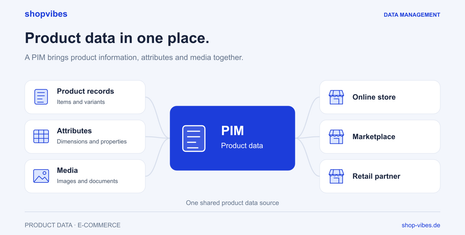
shopvibes connects product information and media with preparation for configured partner outputs. Maintain shared data and define in the mapping what a retailer receives. Category, allowed values, language and distribution model are checked for that partner.
A manufacturer’s website text and retailer output therefore need not have identical structures. A retailer can require specific fields, title rules or allowed values. The underlying facts remain traceable: the same variant, material and included items. The PIM guide and furniture solution explain the shared source’s role.
The Forte customer story describes supplementing an existing PIM with channel-specific preparation and distribution. It is evidence of a process, not an SEO result for your website.
Improve one series and observe the results
Start with a manageable series that often prompts questions. Record the starting state and publication date, then work through this list:
- Collect buying questions and establish missing product properties with the responsible team.
- Maintain clear dimensions, materials, variants and included items.
- Check visible product text and assigned media.
- Compare retailer outputs with current requirements.
- Test website URLs, canonicals and any markup with the website team.
- After publication, analyse actual search queries, landing pages, clicks and relevant enquiries.
If Google Search Console is connected, use data for the pages actually changed. Also check whether sales and retail partners ask fewer questions about those exact properties. Distinguish these observations from general visitor totals. Seasonality, assortment changes and other website work may affect the comparison.
Bring a furniture series and a specific retailer output to a demo. We can discuss how your team can maintain and reuse its product information.
Sources and review date
Reviewed on 3 November 2026. Product examples and the wording comparison are fictional; no ranking effect is claimed. The shopvibes Mapping Editor instructions are in German.
- Google: structured data for product variants
- Google: general structured data guidelines
- Google: image recommendations
- shopvibes: Mapping Editor
About the author

Author
Tim Hoffmann
Chief Product Officer, shopvibes
Tim Hoffmann is Chief Product Officer at shopvibes. His work focuses on product data management, marketplace integrations and e-commerce workflow automation.