Prepare product data for AI search and shopping
“Which dining table fits a small room, seats four people and has an easy-care surface?” A product name alone is unlikely to answer this. Useful answers need dimensions, materials and reliable information about use.
Preparing for AI search starts in the product record. Stable identifiers, specific attributes, distinct variants and current offer data make products easier to understand. Whether a search or shopping service displays them also depends on its own rules and access requirements.
Three ways AI encounters product information
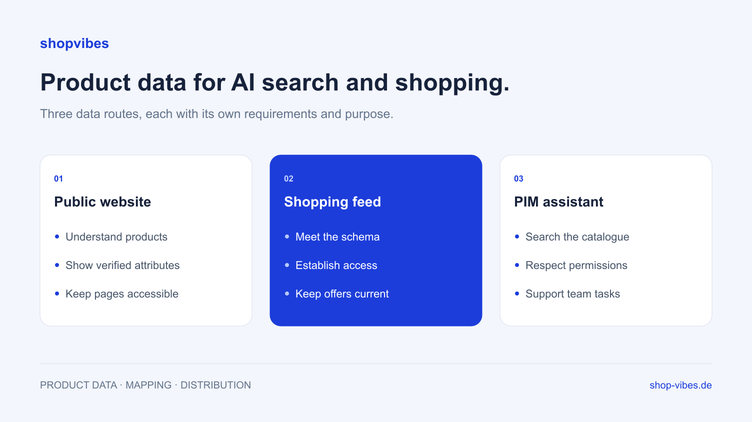
A public product page, a submitted product feed and an internally connected PIM serve different purposes. Plan the requirements and ownership of each route.
| Route | Purpose | What to prepare |
|---|---|---|
| Public website and search | Find and understand product information | Accessible product pages with specific, consistent details |
| Shopping service product feed | Deliver structured catalogue and offer data | Required schema, service access and a reliable update process |
| AI assistant connected to a PIM | Help your team work with its own catalogue | An approved connection, appropriate permissions and supported tools |
Google’s guidance emphasises established SEO practices and useful original content for generative search; it does not require a special AI file format. OpenAI documents a separate ChatGPT product feed, currently onboarded through approved partners. See the Google guidance and OpenAI setup guide for their respective requirements.
Which product attributes should you complete first?
Start with information that affects a buying decision and often becomes inconsistent across channels.
Identity and variants
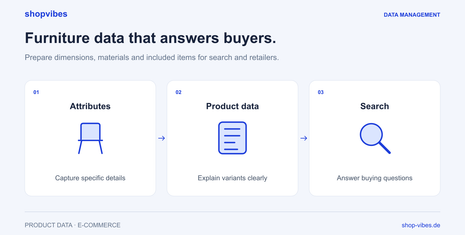
Use stable item numbers and the identifiers that belong to each product. Distinguish a model, its variants and individual offers. A table available in two sizes should not become one variant with contradictory dimensions. Each sellable configuration needs matching attributes and images.
Specific properties
Keep dimensions and units, materials, colour, set contents and relevant use characteristics in separate fields. “Compact” is a description; “120 cm wide” is a verifiable attribute. Package measurements belong in different fields from product measurements.
Images and documents
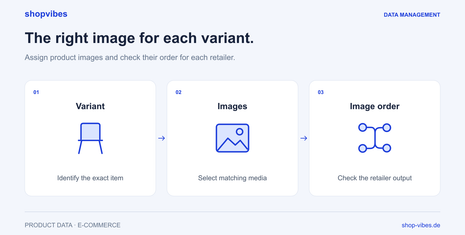
Assign images to the correct variant. Detail images should show the features described in the text. Include relevant assembly instructions and care information, and check that published media remain accessible. Our variant images and image order guide explains how to check media relationships and channel-specific outputs.
Offers and availability
Price, currency, availability and target market describe a particular offer. Decide which system owns each value and how it reaches each channel. Accurate descriptions cannot compensate for outdated offer data.
A home and living example
These fictional values illustrate an internal data model. They are not an upload schema for any search or shopping service.
| Attribute | Ambiguous starting point | Useful product information |
|---|---|---|
| Dimensions | “Small dining table” | Width 120 cm, depth 80 cm, height 75 cm |
| Material | “Wood look” | Melamine-faced chipboard tabletop |
| Colour | Several names without a variant relationship | Natural oak decor, variant DEMO-TABLE-120-OAK |
| Contents | “As pictured” | One table; chairs excluded |
| Care | “Easy care” | Manufacturer-approved care instructions in the data sheet |
Your team can turn these attributes into suitable channel content. Descriptions should explain the facts without inventing additional suitability claims. Statements such as “suitable for outdoor use” or “tested for four people” need a factual basis.
From product record to retailer output
Extend the fictional TABLE-LINN range with its 160 cm configuration. Both items share the same material, but their widths and variant images differ. Those differences must remain clear in derived copy and outputs.
| Check | DEMO-TABLE-120-OAK | DEMO-TABLE-160-OAK |
|---|---|---|
| Internal product width | 120 cm | 160 cm |
| Shared depth and height | 80 cm and 75 cm | 80 cm and 75 cm |
| Contents | One table; chairs excluded | One table; chairs excluded |
| Expected image | 120 cm configuration | 160 cm configuration |
| Statement to check in copy | Table width 120 cm | Table width 160 cm |
A useful instruction to an assistant is: “Compare these configurations using the supplied width, material and contents. List inconsistencies and missing information without adding properties.” This is a fictional working example. It requires the assistant to have permission to read the necessary fields and to receive them.
If the description of the 160 cm configuration says 120 cm, first compare the approved variant values with the text. Then check whether the retailer output uses those same fields. A shared range field may be correct but still be the wrong source for a variant-specific measurement. Correct the information in the responsible system or mapping, then generate and inspect a new output.
A configured retailer template maps attributes and values to the required format. A directly connected interface has its own agreed scope. Check the generated or submitted output, then processing, then the retailer presentation. Formal acceptance of a file does not establish correct variant assignment or buyability. Our variants guide and dimensions checklist support this comparison.
A practical catalogue workflow
- Choose a representative range. Include multiple variants and different levels of data completeness.
- Collect buying questions. Use questions from sales, customer service and retailer feedback. Which can your existing data answer?
- Complete the central records. Add missing properties at their source and identify the person responsible for verifying them.
- Define channel outputs. Derive page content or partner files from the same catalogue, following each destination’s requirements.
- Inspect the result. Review the published product page or destination import report. Record discrepancies and their causes.
AI search and shopping checklist
- Can you distinguish the product, its variant and its offer?
- Do verified attributes answer the most important buying questions?
- Are dimensions, materials and set contents consistent across channels?
- Do text and images match the configuration actually offered?
- Does an accountable source supply current pricing and inventory?
- Are public pages and media accessible?
- Are access, schema and processing requirements agreed with the shopping service?
Evaluate concrete outcomes afterwards. Are products described correctly? Which questions reveal missing attributes? Which pages attract qualified visits and enquiries? Treat individual AI answers as snapshots and record their date, question and cited sources.
Where shopvibes fits
shopvibes helps you structure product information, check its quality and prepare it for retail partners. A consistent catalogue gives your team a foundation to reuse as channel requirements evolve. Our guide to automating retailer templates explains file-based outputs.
The shopvibes MCP connection lets supported assistants work with your PIM within your permissions. It does not automatically publish your catalogue in public shopping results. This article does not announce an available direct shopvibes product-feed integration with ChatGPT.
A practical MCP workflow
The shopvibes MCP server is in beta at the review date. Its documented scope includes reading products and attributes, viewing partners and templates, creating and checking listings, and finding and assigning media. During beta, access and connection are agreed with the shopvibes team. Existing user permissions also apply to the connection; setup may additionally depend on your organisation’s and AI tool’s requirements. The current MCP help guide explains the starting point (German).
For the two fictional table configurations, your team can follow this process:
- Read product values. Ask for the item number, width, material and contents from available attributes. Missing fields should remain visible as gaps.
- Review discrepancies. Compare the response with the approved source. Ask for correction suggestions and edit product fields or mapping in the responsible system.
- Check the destination partner. Ask to see connected partners and available templates. Establish the actual delivery scope before starting a new listing.
- Start a listing deliberately. Check the product selection and destination first. For a download partner, choose a suitable template; an automatic partner uses its configured delivery route.
- Read status and feedback. After starting, inspect processing progress and available results or messages. A response without an error does not replace the retailer-side check.
The product fields in this example are read, compared and then reviewed and edited in the responsible system. It does not promise automatic master-data corrections or mapping changes as MCP functions. An MCP listing for a retail partner is also a different action from submitting a public product feed to a shopping service.
Our furniture solution brings variants, dimensions, media and partner requirements together. Our product-data SEO guide for furniture manufacturers connects data maintenance with specific buying questions on product pages. Book a demo to discuss which gaps in your own data should be addressed before your next channel launch.
Sources and review date
Reviewed on 3 November 2026. Service access and requirements may change. The table examples are fictional and are not a provider’s feed schema.
- Google: Generative search and SEO
- OpenAI: Product feed setup
- OpenAI: Product feed content quality
- shopvibes: Connect the MCP server with ChatGPT and Claude — German help article
- shopvibes: Attribute and value mapping — German help article
About the author

Author
Tim Hoffmann
Chief Product Officer, shopvibes
Tim Hoffmann is Chief Product Officer at shopvibes. His work focuses on product data management, marketplace integrations and e-commerce workflow automation.