Plan Wayfair by market and supplier programme
Wayfair left the German market on 10 January 2025. This connection therefore concerns the preparation of international ranges. Wayfair identifies the US, Canada, the UK and Ireland as relevant markets. That does not automatically establish eligibility for your business or range. Confirm with Wayfair which country and supplier programme your application or existing account covers. Wayfair’s Germany announcement, current company description.
The public entry point is the Wayfair supplier programme. Acceptance as a supplier, technical data integration and subsequent publication are separate steps.
Establish these details before connecting
| Question | Outcome for your project |
|---|---|
| Which market is the range intended for? | Record the country, language, units and responsible contact |
| What relationship has been agreed? | Identify the supplier agreement, range and commercial terms |
| Which data is needed? | Record product attributes, media and ongoing information separately |
| Which output is configured? | Agree the file, template or interface with the shopvibes team |
| Where is acceptance checked? | Assign responsibility for feedback and product presentation |
Wayfair describes several operational routes, including its portal and EDI/API options for orders, stock and tracking. These are Wayfair’s capabilities. The data types included in your shopvibes setup are agreed separately. Fulfilment and shipping also remain separate tasks. Wayfair onboarding checklist.
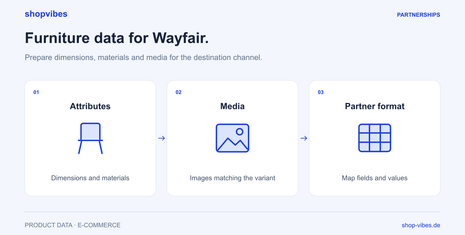
Prepare variants, dimensions and media from one data source
A shared product foundation helps you create different outputs in a traceable way. Each variant being sold must remain connected to its content. A series name is insufficient when width, colour or contents supplied differ.
Fictional furniture example, not a Wayfair upload template: TABLE-LINN is available in two sizes.
| Internal item number | Product dimensions (W × D × H) | Contents supplied | Media assignment |
|---|---|---|---|
| DEMO-TABLE-120-OAK | 120 × 80 × 75 cm | One table, no chairs | Images of the 120 cm variant |
| DEMO-TABLE-160-OAK | 160 × 80 × 75 cm | One table, no chairs | Images of the 160 cm variant |
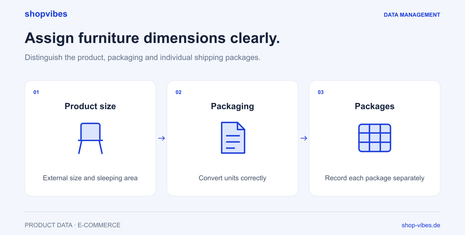
If the second SKU also outputs 120 cm, inspect the variant value and its mapping. Packaging dimensions must not replace product dimensions. When changing markets, also check the required units and language-appropriate description. The furniture solution and guide to furniture dimensions and packages explain the data model in more detail.
The documented shopvibes workflow
In shopvibes, the configured mapping connects internal attributes with partner fields. Value mappings help translate internal terms into permitted target values. The setup must fit the specific template and partner process. This does not establish a complete attribute list for every Wayfair category.
For configured template partners, the help centre describes selecting products and a template, generating a file and downloading it. The file can then be uploaded to the partner. Where a direct connection is configured, its interface scope is agreed separately. A download alone does not establish direct transmission.
For Wayfair, we therefore clarify the market, account, intended fields and actual configured handover method beforehand. Prices, stock, orders and tracking are not automatically included in a product-data output.
Start with a small test range
- Record the market and account. Use the requirements of the relationship actually agreed.
- Choose contrasting examples. Include two sizes and an item shipped in several packages.
- Inspect source data. Check identity, what each dimension measures, contents supplied and variant images.
- Compare the output. Check each SKU, its units and media assignment in the configured format.
- Review the partner result. Resolve feedback and check the published presentation and availability separately.
The Wayfair practical guide develops this test further. For a demo, bring a sample record and your Wayfair project’s current requirements.
Frequently asked questions
Can I use this page to launch on Wayfair Germany? Wayfair has left the German market. An international project requires the appropriate market and programme approval.
Does the product-data connection also handle orders? Data processes are agreed separately. Product-data output does not confirm automated order processing.
Are costs and terms the same everywhere? Check your supplier agreement and chosen services. Wayfair explains that its retail pricing considers wholesale base costs among other factors; this does not establish universal fee-free participation. Wayfair FAQ.
Product documentation and review date
Reviewed on 3 November 2026.